Contents
Table of Contents
Introduction
Creating visuals used to be a pain.
If you wanted a decent image, you either needed design skills, access to stock photo libraries, or expensive tools that take hours to learn. And even then, the result often looked… generic.
That’s where AI image generators changed the game.
Instead of searching for the “right” image or opening complicated design software, you can now describe what you want in a few words and let AI do the heavy lifting. No design background. No Photoshop. No stress.
Social Cat’s AI Image Generator makes this process simple, fast, and accessible. Whether you’re creating content for social media, marketing campaigns, or personal projects, you can turn text into visuals in seconds, right from your browser.
If you’re not a designer (and don’t want to become one), you’re in the right place.
What Is an AI Image Generator?
An AI image generator is a tool that creates images based on text descriptions.
You type what you want to see, for example, “a minimalist workspace with a laptop and a coffee cup, soft lighting”, and the AI turns that text into a visual. No drawing, no editing, no design experience needed.
Behind the scenes, the AI has been trained on millions of images, which helps it understand things like:
- Objects and people
- Colors and styles
- Moods, lighting, and composition
But from your side, it’s simple: write a prompt, click generate, get an image.
Unlike stock photos, AI-generated images are custom-made for your idea. You’re not picking from a library that thousands of other people are using, you’re creating something new, based on exactly what you need.
That’s why AI image generators are becoming a go-to tool for creators, marketers, and brands who want visuals that feel original, fast, and easy to produce.
How This AI Image Generator Works
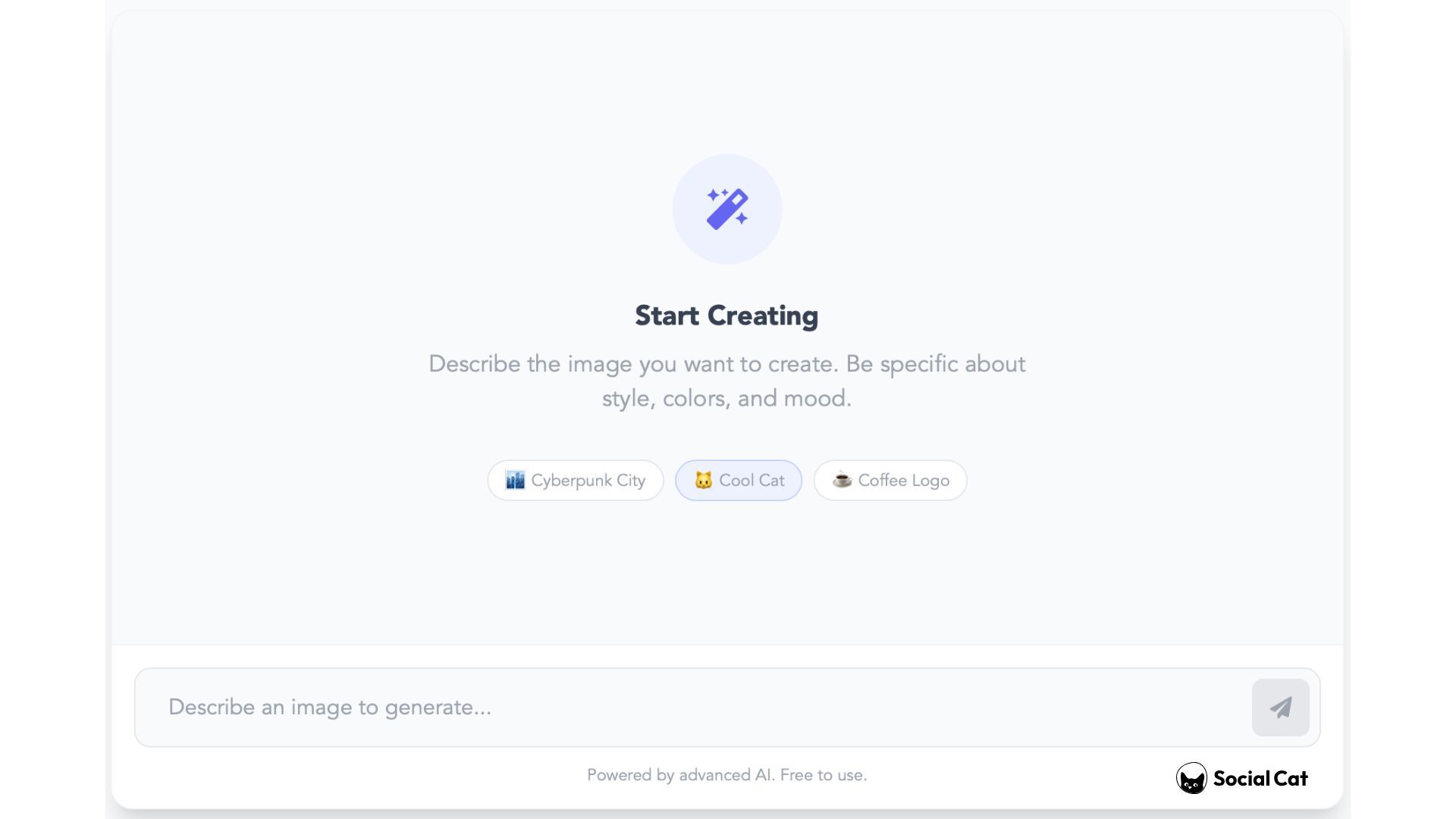
Using Social Cat’s AI Image Generator is simple, you don’t need any design skills or technical knowledge.
Here’s how it works:
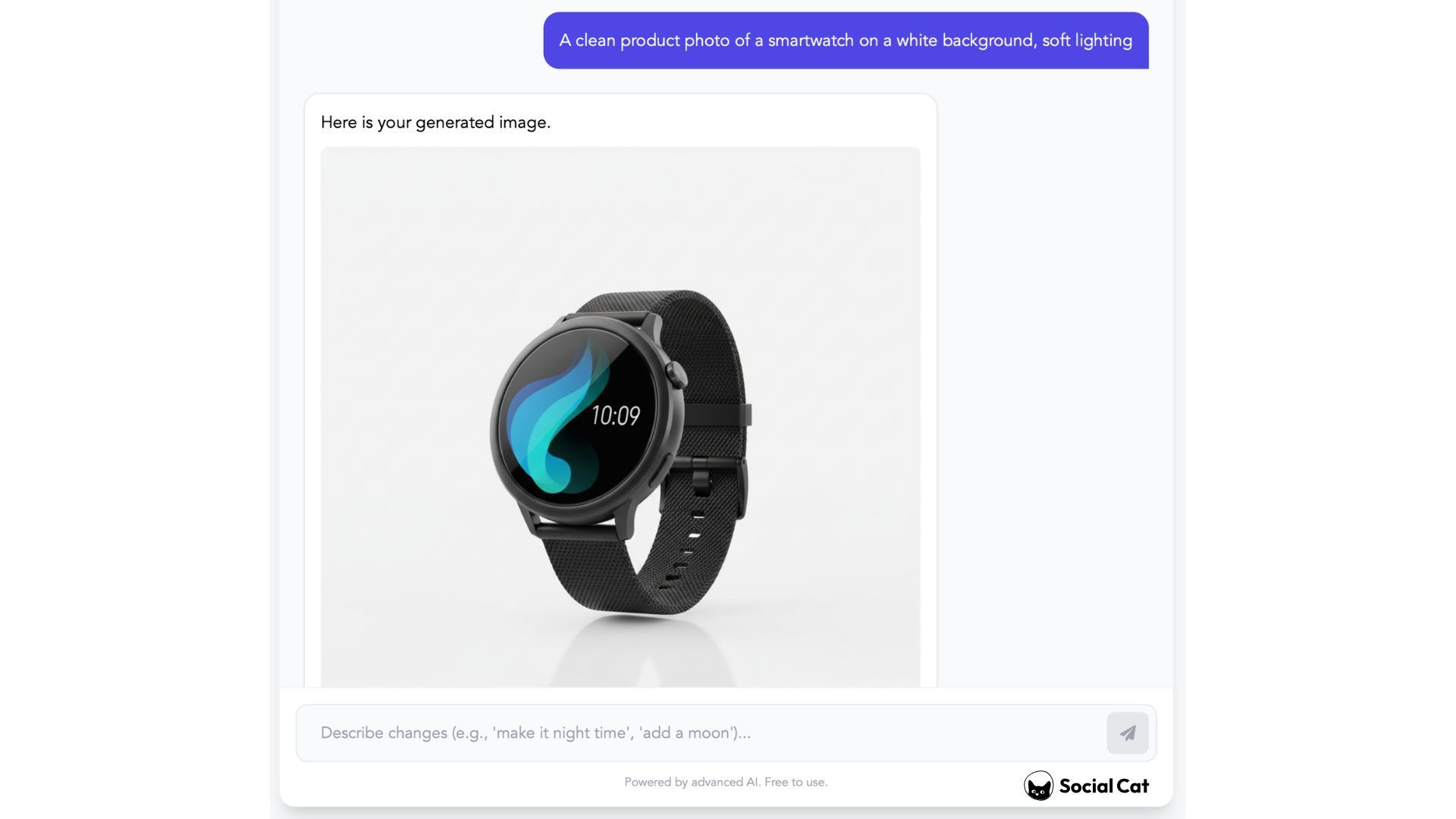
1. Write a text prompt
Describe the image you want to create. You can keep it simple or add more details like style, colors, or mood.
(Example: “A clean product photo of a smartwatch on a white background, soft lighting”)
2. Generate your image
Click the generate button and let the AI do its thing. In just a few seconds, you’ll get a set of images based on your prompt.
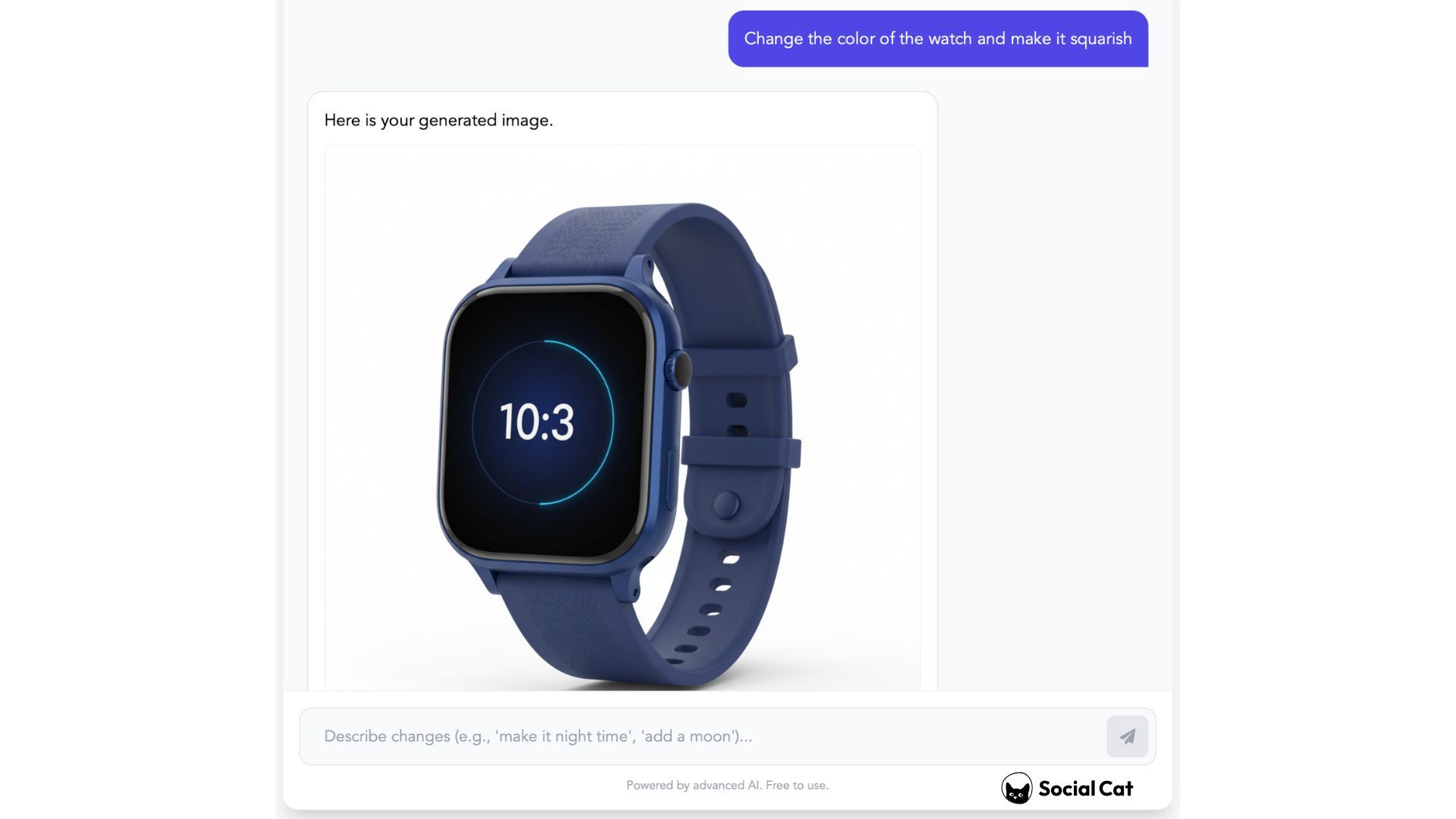
3. Describe any changes
“Change the color of the watch and make it squarish”
Scroll through the results and choose the image that best matches what you had in mind.
4. Download or reuse
Download the image and use it for social media, ads, websites, or any other creative project.
That’s it. No complicated settings, no learning curve, just type, generate, and use.
What Can You Create With an AI Image Generator?
An AI image generator isn’t just for “art” or experiments. It’s a practical tool you can use for all kinds of everyday content.
Here are some of the most common ways people use it:
Social Media Content
Need visuals for your posts but don’t want to reuse the same templates over and over?
You can create:
- Instagram posts and stories
- Thumbnails for Reels and Shorts
- Backgrounds and creative visuals for captions
Everything feels more original because the images are created from scratch.
Marketing & Ads
AI-generated images are great for fast-moving marketing needs.
Use them for:
- Ad creatives for paid social
- Landing page visuals
- Blog post images
Instead of searching through stock photos, you can generate visuals that match your message exactly.
Branding & Creative Projects
AI image generators are also perfect for early-stage ideas and visual exploration.
For example:
- Mood boards
- Concept visuals
- Illustrations for presentations
You can quickly test ideas without spending hours on design.
No matter what you’re creating, the big advantage is the same: you stay in control of the idea, and the AI handles the execution.
Why Use an AI Image Generator Instead of Stock Photos?
Stock photos can work, but they come with a few problems.
First, they’re generic. The same images show up everywhere, which makes your content blend in instead of stand out.
Second, finding the “right” photo takes time. You search, filter, download… and still end up compromising.
An AI image generator flips that process.
Instead of adapting your idea to a photo that already exists, you create an image around your idea.
Here’s why many creators and brands are switching to AI-generated visuals:
- More original – Every image is created from scratch
- Faster – No endless scrolling through libraries
- More flexible – You control the style, mood, and details
- Better fit – The image matches your message, not the other way around
For social media, marketing, and branding, this means less friction and more creative freedom, without needing a designer on your team.
Why Use Social Cat’s AI Image Generator?
There are a lot of AI image generators out there, but many of them feel either too complicated or disconnected from how creators and brands actually work.
Social Cat’s AI Image Generator is built to be practical.
It’s made for people who need visuals fast, without learning new tools or changing their workflow. You don’t need design experience, and you don’t need to install anything, everything works directly in your browser.
Here’s what makes it a good fit for creators and marketers:
- Simple to use – write a prompt and generate images in seconds
- No design skills required – the AI handles the heavy lifting
- Fast results – ideal for social media and marketing deadlines
- Built for real use cases – content, ads, branding, and more
Whether you’re working on a single post, a full campaign, or just testing ideas, this tool helps you go from idea to visual without slowing you down.
If you want an easier way to create visuals that actually match your ideas, this is a good place to start.
Sources
Social Cat Glossary - Machine Learning
Artifical Inteligence and images
Written by
Stefan A.
Stefan is a Growth Marketer turned founder with a background in customer acquisition, Influencer Marketing, and early-stage startups. At Social Cat, Stefan drives day-to-day operations and growth, helping small brands connect with the right influencers to scale their reach and impact.