
Contents
Table of Contents
YouTube Shorts pull in 200 billion vertical views every day (androidcentral.com). Every swipe is a shot at new ears—if the visuals hook fast.
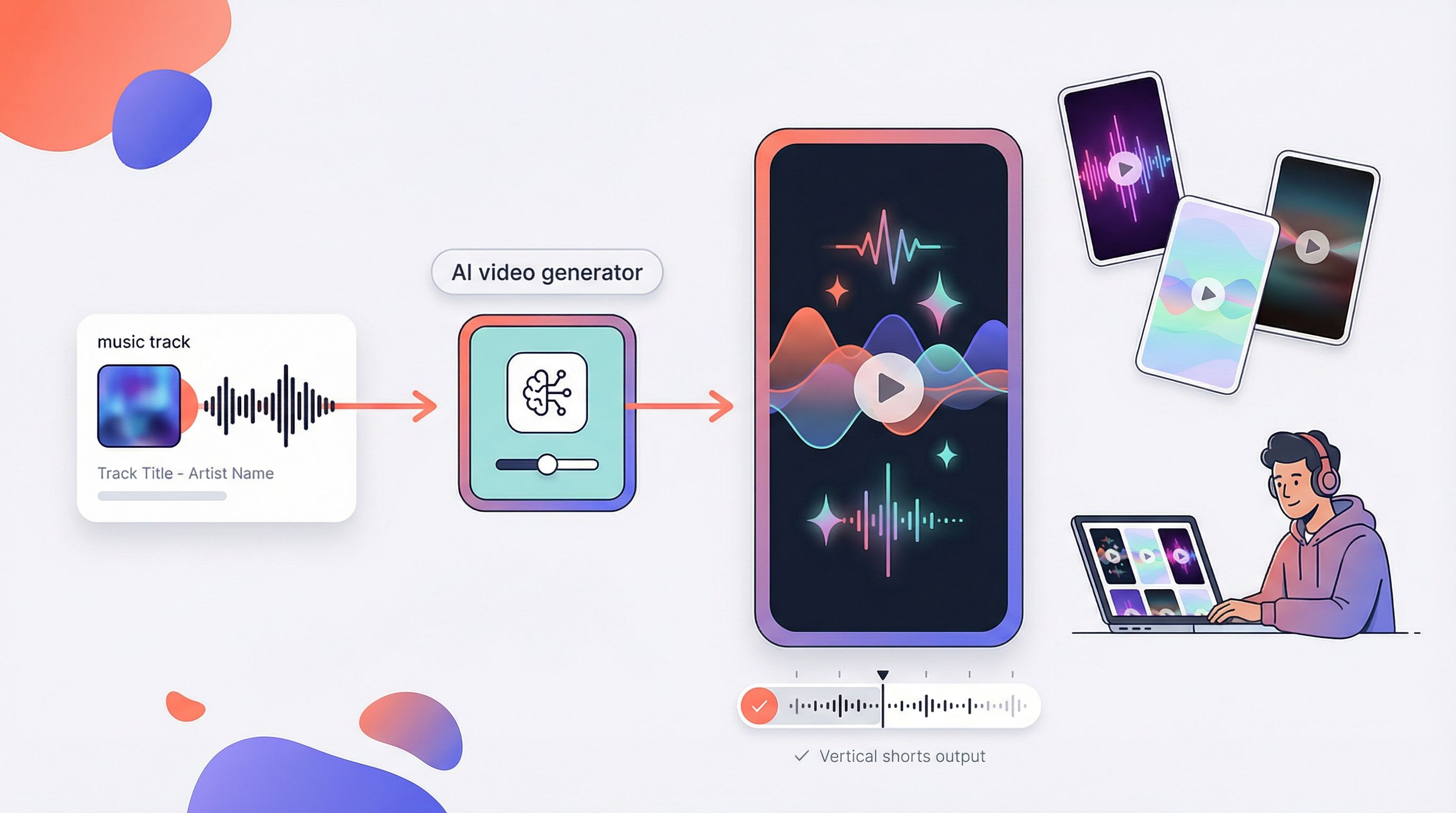
Until recently, transforming a track into thumb-stopping video demanded crews, gear, and a budget big enough to wipe out a merch run. AI music-video generators collapse that workload to minutes in a browser tab (sendfame.com), so any artist can publish before lunch.
We stress-tested 15 platforms, mined Reddit and Discord feedback, and narrowed the field to seven tools that excel at speed, sync, and share-worthy quality. Here’s what we found.
How We Tested And Scored The Tools
We skipped the spec sheets and built real videos.
First, we loaded indie-pop, hip-hop, and ambient tracks into every generator on the long list. That stress test exposed clunky upload flows and a few tools that still miss a 9:16 canvas. Those dropped off early.
Next came the scorecard. We weighted five factors: output quality (30 percent), ease of use (25 percent), pricing and value (20 percent), feature depth (15 percent), and export flexibility (10 percent). When two apps felt close, beat-drop stutters tipped the balance. If visuals lagged, they lost points without hesitation.
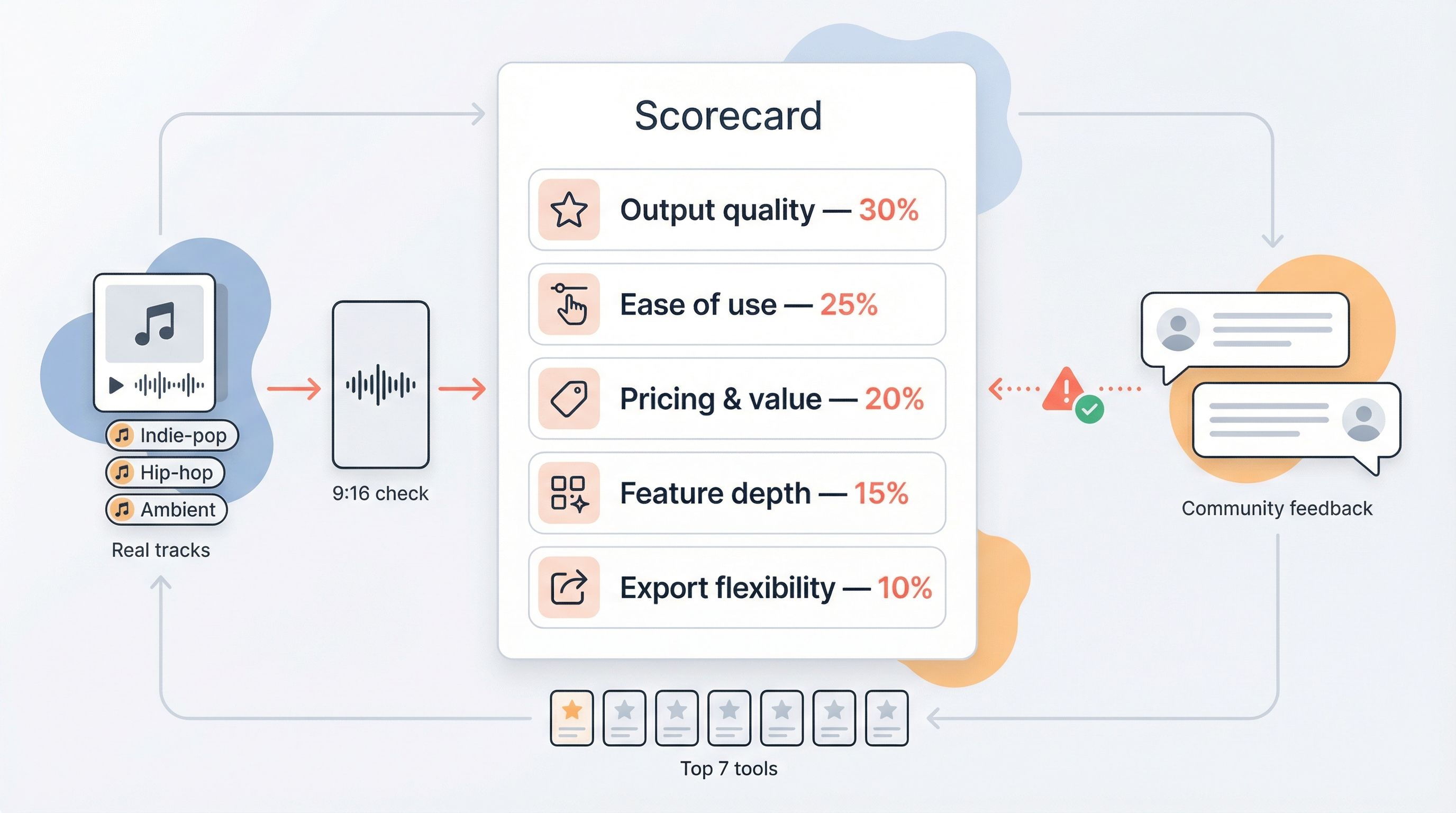
Community chatter counted, too. We scanned Reddit and Discord for hidden pain points such as watermark tricks or credit throttling. When a glitch appeared in several user posts, we reproduced it, captured the render, and deducted points.
By the finish line, seven platforms rose above the rest. Each earned its place through real-world performance, not claims. Up next: a quick, at-a-glance comparison.
At-A-Glance Comparison
Before we look at each review, it helps to see the field in one snapshot. The table below shows what each generator offers at a quick scan: free access, resolution limits, audio-reactive smarts, and how aggressively they watermark output.
Read it like a menu. A green check means the feature is complete. The caution icon flags partial support or small gotchas such as length caps or branded overlays. Prices reflect the lowest monthly tier that removes the watermark and delivers HD.
| Tool | Free plan | Paid from | Max res | Audio-reactive | Stand-out edge |
| Neural Frames | Trial, 10 s | $19/mo | 4K HDR | ✅ Full beat & stem | Two-click Autopilot |
| Runway Gen-3 | Basic clips | ~$12/mo | 1080p | ⚠ Basic waveform | Cinematic realism |
| Kaiber | Trial credits | ~$15/mo | 4K | ⚠ Style–tempo sync | Deep style library |
| Pika Labs | 150 credits/mo | $8/mo | 4K | ⚠ Beat match | Lightning-fast drafts |
| Freebeat | Yes, ≤30 s | $7/mo | 1080p (4K beta) | ⚠ Auto beat sync | One-click agent |
| Plazmapunk | Daily credits | ~$10/mo | 1080p | ⚠ Per-scene script | Scene scripting |
| Pollo AI | Free tier | $0–$29/mo | 1080p (4K select) | ⚠ Model-dependent | Multi-engine hub |
Deep-dive reviews
Neural Frames — Best Overall
Neural Frames feels like a director who already knows your song’s rhythm. You drop the track, click Autopilot, and the platform slices, shuffles, and color-grades a vertical video that lands on every snare and synth stab. Our first test render, an indie-pop chorus, arrived three minutes later, synced to the kick pattern and trimmed to 59 seconds.
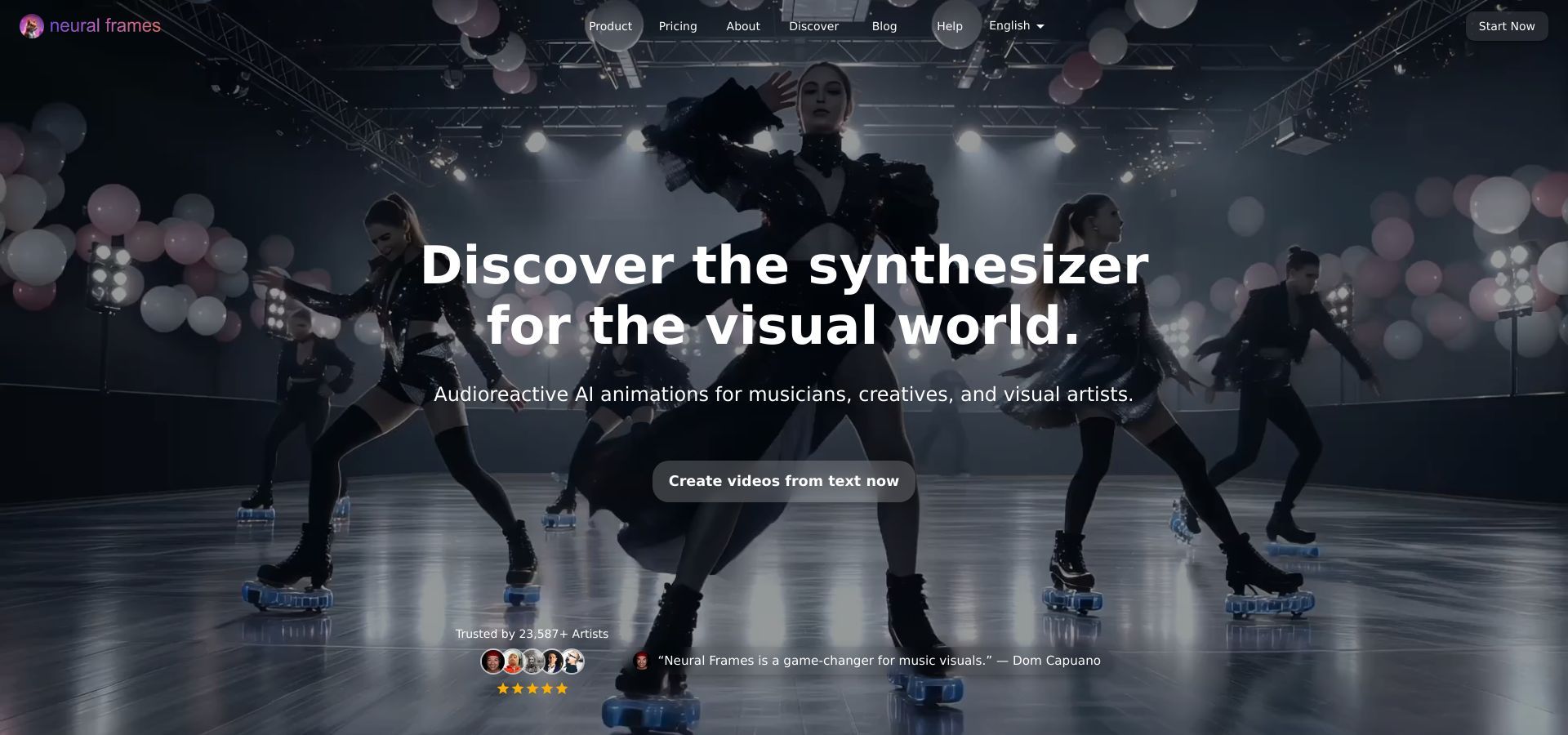
Neural Frames AI music video generator dashboard screenshot
Quality stands out. The service outputs up to 4K HDR, giving gradients room to breathe instead of banding. Consistent character control keeps your main figure in the same jacket across scenes, a detail many AI tools miss. Want more control? Switch to storyboard mode and type a prompt for each verse. The interface shows timelines without the complexity of a full NLE, so you adjust pacing while the engine does the heavy lifting.
At nineteen dollars a month, the entry plan is not loose change, yet it removes watermarks and grants fifteen minutes of HD generation—enough for several Shorts each billing cycle. Add stem-level audio reactivity, the ai music video generator docs explain that the engine automatically splits every track into eight stems (kick, snare, hi-hats, bass, vocals, melody, harmony, percussion) you can map to individual visual parameters and the value adds up.
For creators who need speed without leaving quality behind, Neural Frames leads the pack.
Runway Gen-3 – Best For Cinematic Control
Runway feels less like a gadget and more like a film set you rent by the hour. Type a prompt such as “slow-motion neon rain over midnight Tokyo,” and Gen-3 paints frames that look lifted from a streaming thriller. Slide your waveform underneath and nudge scene markers on the built-in timeline; every cut now lines up with your snare.
Precision is the draw. Seed a shot with a reference image, lock the camera angle, and tell Runway to hold that mood for eight beats before shifting to a new view. No other tool in this list offers that level of directorial input while still generating fresh pixels for each frame.
The platform does ask for practice. The interface is friendly, yet top-tier results come from prompt tweaks and multiple passes. Exports top out at 1080p, and clips longer than fifteen seconds require stitching. When you want Shorts that feel like mini trailers, Gen-3 provides the control you need.
Kaiber – Best For Stylized Visual Fireworks
Kaiber treats video like a canvas instead of a camera reel. Pick a hand-drawn anime look, a pulsing synthwave grid, or an oil-painted dreamscape, then let the engine turn your music into living art. When Linkin Park sought an AI twist for the “Lost” anniversary video, they tapped Kaiber to animate Chester Bennington’s vocals in an anime-inspired universe (revistaeyn.com). That nod from a platinum band hints at the tool’s creative ceiling.
Our tests showed the appeal. Kaiber reads the kick drum and splashes color on each hit, making even lo-fi bedroom tracks feel bold. Style swaps take one click, so you can preview five looks in ten minutes and keep the one that works. Upscale to 4K with extra credits; 1080p still looks crisp on mobile feeds.
Pricing runs on credits. The fifteen-dollar base plan covers about ten minutes of HD output, enough for several Shorts if you iterate wisely. The free trial stamps a watermark in the corner. For musicians who care more about distinctive art than narrative continuity, Kaiber delivers striking motion graphics that stop thumbs in the feed.
Pika Labs – Best For Rapid Iteration
Pika works like a creative sketchpad within arm’s reach. Type a vibe, drop your chorus, and a ten-second loop appears before the coffee finishes brewing. Because each render costs only a few credits, you can test bold ideas such as cyberpunk alley, glitchy comic panel, or pastel claymation, then double-click the winner for a longer take.
Speed is Pika’s strength, yet it still respects sync. The engine listens for downbeats and nudges camera moves so they land on kick drums. We stitched four clips into a full-length Short in under twenty minutes, a pace that felt remarkable just six months ago.
The free tier gives you 150 credits each month, enough for many prototypes. Move to the eight-dollar plan when you want to remove the watermark and raise resolution above 720p.
Freebeat – Best For One-Click Convenience
Freebeat reduces video creation to a single choice: which template feels right? Upload your track, pick “Flash Cuts” or “Lyric Pop-ups,” and the AI returns a 20-second Short that lands on every downbeat. We timed it: two minutes from upload to finished HD export.
Because everything rests on ready-made styles, results stay consistent and on brand. The trade-off is predictability; thousands of users share the same effect catalog. For quick promos, that sameness works. When you need originality, you may move to a more flexible tool.
The free tier includes 500 credits, enough for a week of daily Shorts if you keep them under 30 seconds. Step up to the seven-dollar plan when you want watermark-free 1080p and longer clips. For budget-focused creators, Freebeat offers a swift path from finished mix to published Short.
Plazmapunk – Best For Scene-By-Scene Storyboarding
Plazmapunk bridges Freebeat’s simplicity with Runway’s control. Drop timeline markers on your song, then write a short prompt for each segment. Verse one can glide over a neon skyline; the chorus rockets through a launch sequence; the bridge floats inside watercolor space. The AI stitches these micro prompts into a smooth 9:16 video that feels scripted rather than shuffled.
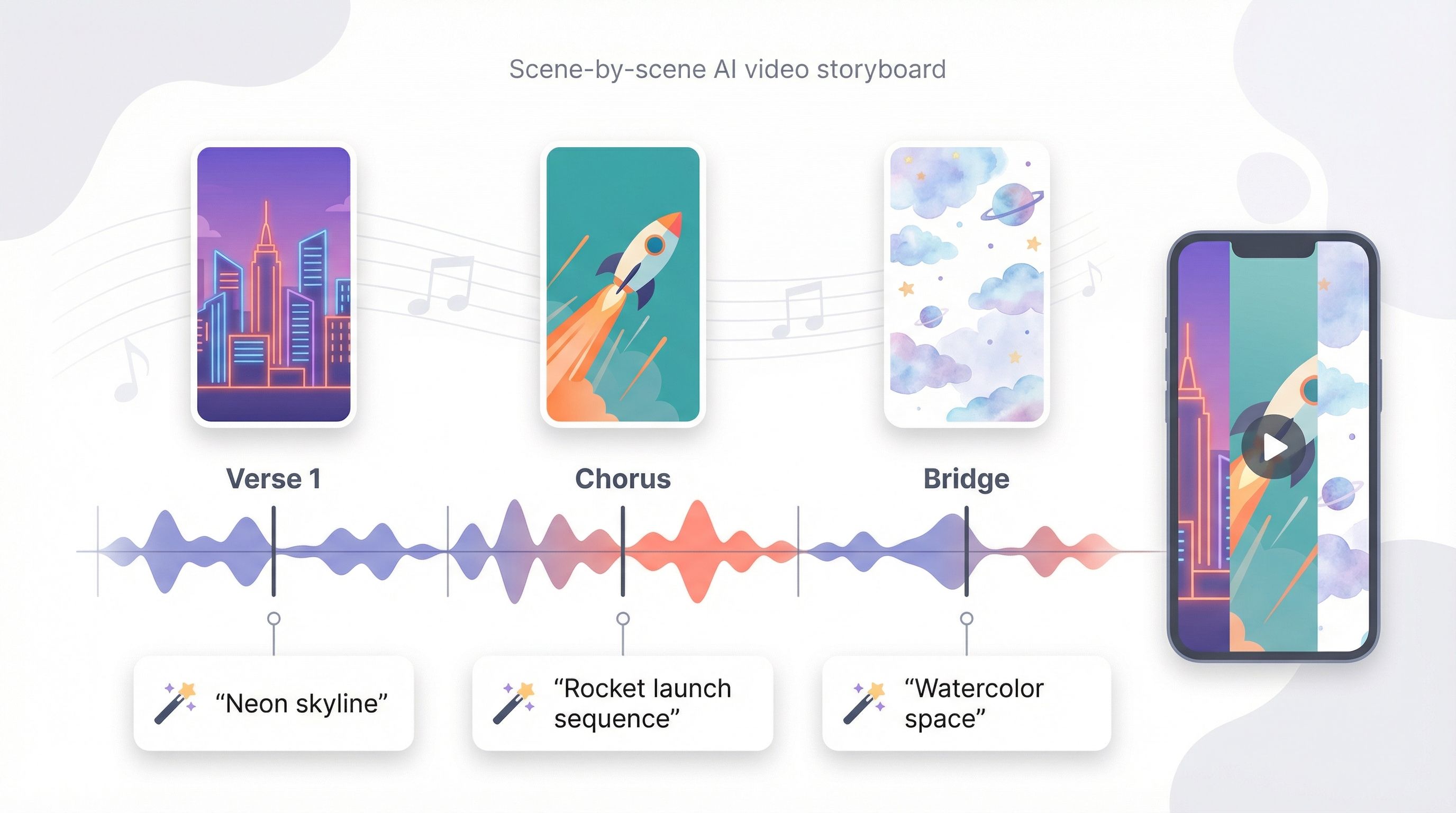
Daily free credits keep experimentation easy. We produced three drafts before breakfast, refining prompts until transitions felt natural. Paid plans remove the corner watermark and let you render longer clips, but even the free tier proves the concept.
Speed is the lone drawback. Multi-scene renders take extra time because the engine generates and blends each chunk. The wait is worthwhile when narrative matters and you want visuals that trace the lyrics line by line.
Pollo AI – Best For Flexible, Multi-Engine Workflows
Pollo AI caters to power users who dislike limits. Rather than tying you to one engine, the app gathers Runway, Kling, Pika, Sora, and several others in a single dashboard. You can queue the same prompt across models, compare thumbnails side by side, and choose the strongest result. The process feels like speed dating for AI video, yet each match can turn into a full-length Short.
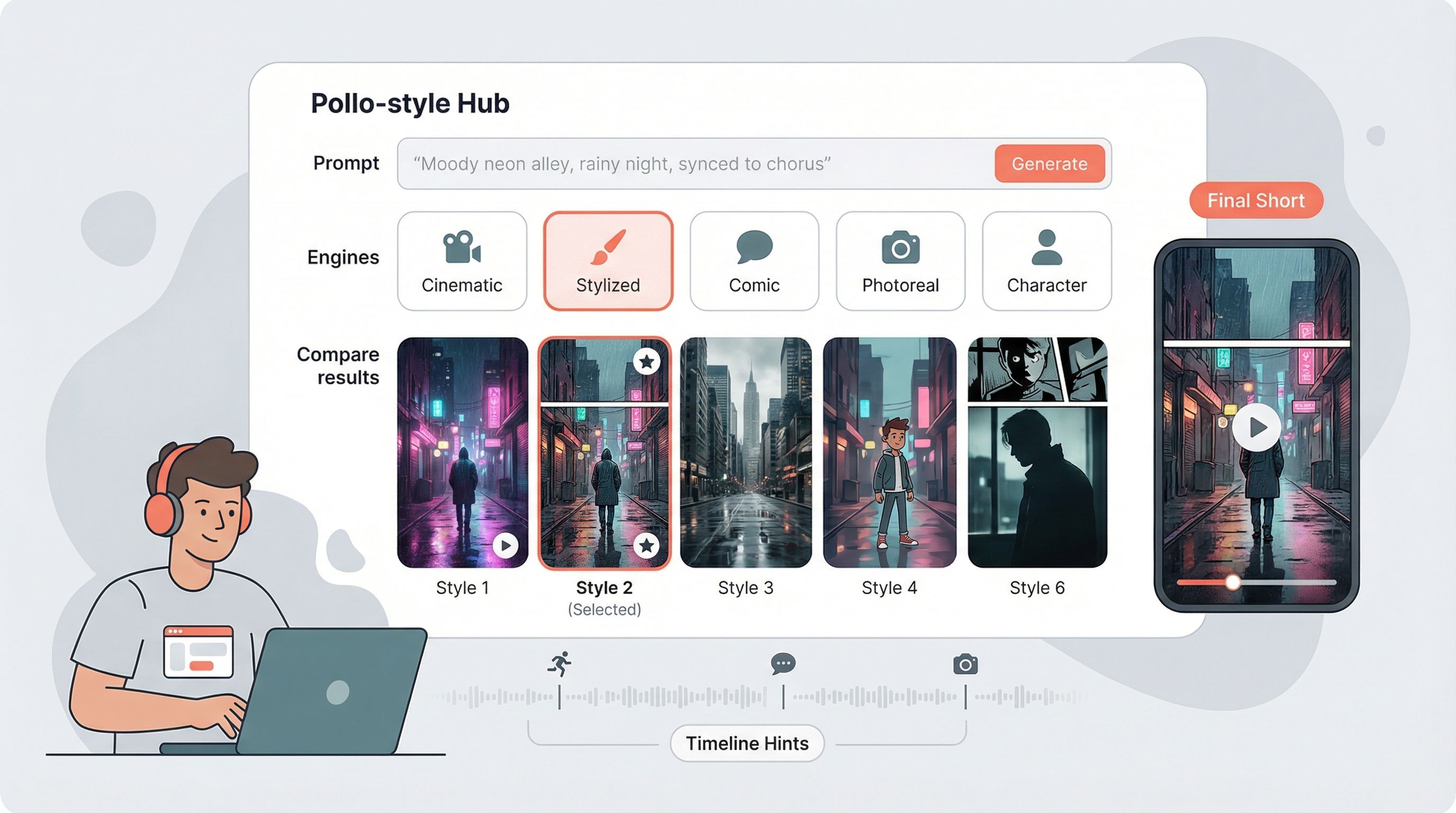
In testing, we built a verse with Kling for smooth character motion, switched to Pika for a comic-style hook, then asked Sora for a photoreal outro. Pollo stitched the pieces automatically, keeping the 9:16 frame and beat timing intact. After a five-minute color pass, the final cut looked cohesive without an afternoon of export wrangling.
The thirty-dollar Pro plan opens access to every model and removes watermarks, but the free tier still works for preview renders. If you thrive on experimentation and want one place to pilot each top engine, Pollo AI deserves a spot in your toolkit.
Conclusion
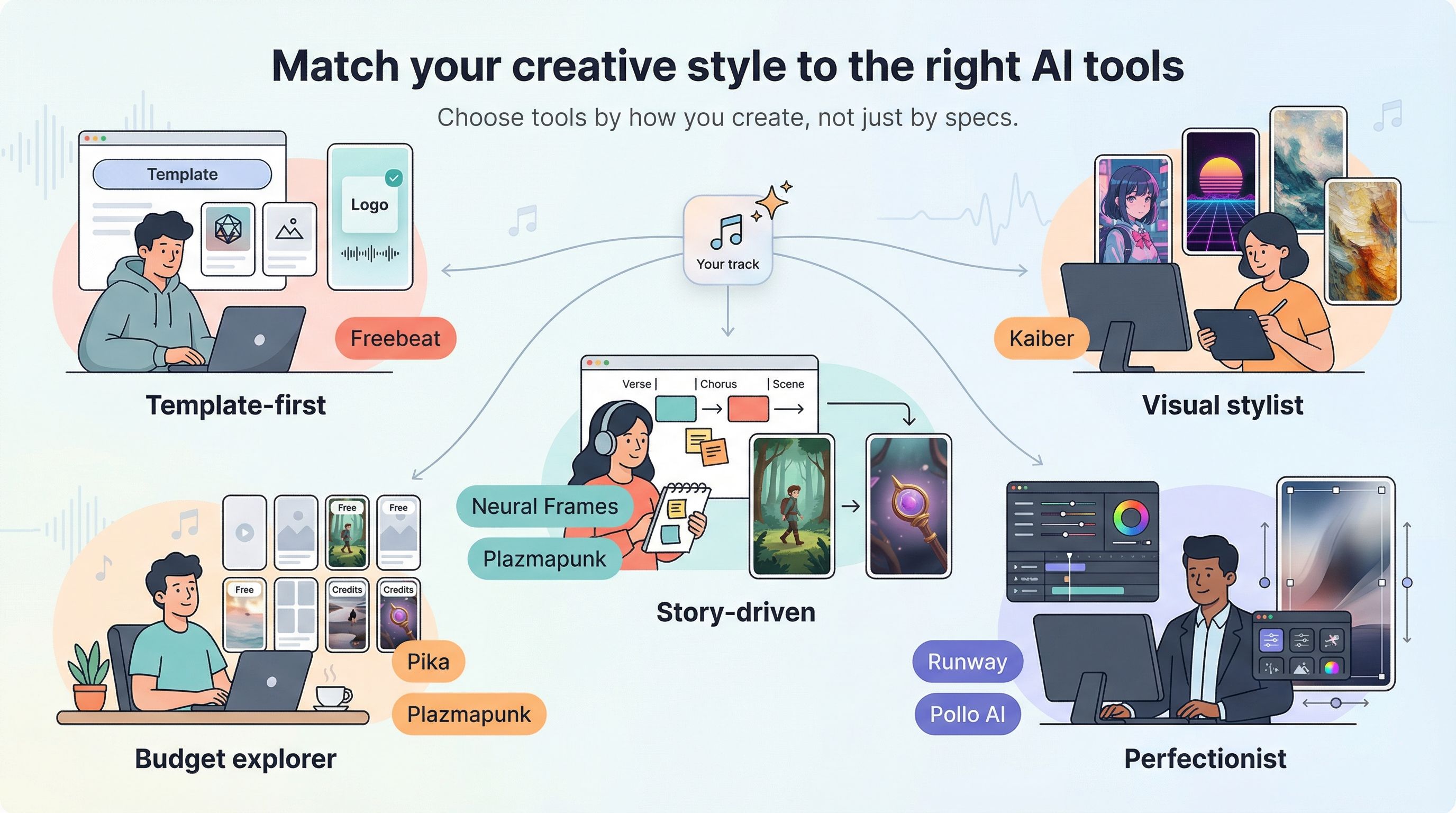
Your choice depends less on tech specs and more on how you create.
If you dislike menus and just want a tool that works, Freebeat lifts the weight. Upload a track, pick a template, post. It is the musical equivalent of ordering takeout.
If you need distinctive art that grabs viewers within three seconds, Kaiber’s style library has you covered. EDM, hyper-pop, and lo-fi all gain a matching visual.
Story-driven creators need structure. Neural Frames and Plazmapunk both support verse-by-verse planning; Neural Frames shines on polish, while Plazmapunk keeps costs low.
Perfectionists who adjust every frame lean toward Runway or Pollo AI. Runway delivers cinematic realism with a steeper learning curve. Pollo gathers multiple engines so you can compare models without juggling logins.
Working on a tight budget? Stick with Pika’s free credits or Plazmapunk’s daily allotment, then upgrade only when views start to grow.
Match the tool to your creative style first, and specs second. That single decision can save hours of testing and keep the focus where it belongs, on the music.